Claude Code Workflow
Claude Code and Codex run inside workspaces. There is no external server to attach to, so you connect via a terminal and run the client in the workspace.
Overview
This flow is terminal-first. You connect to the workspace, launch the agent, and continue work from any device via CLI, Web UI terminal, or SSH clients like Termius.
Demo
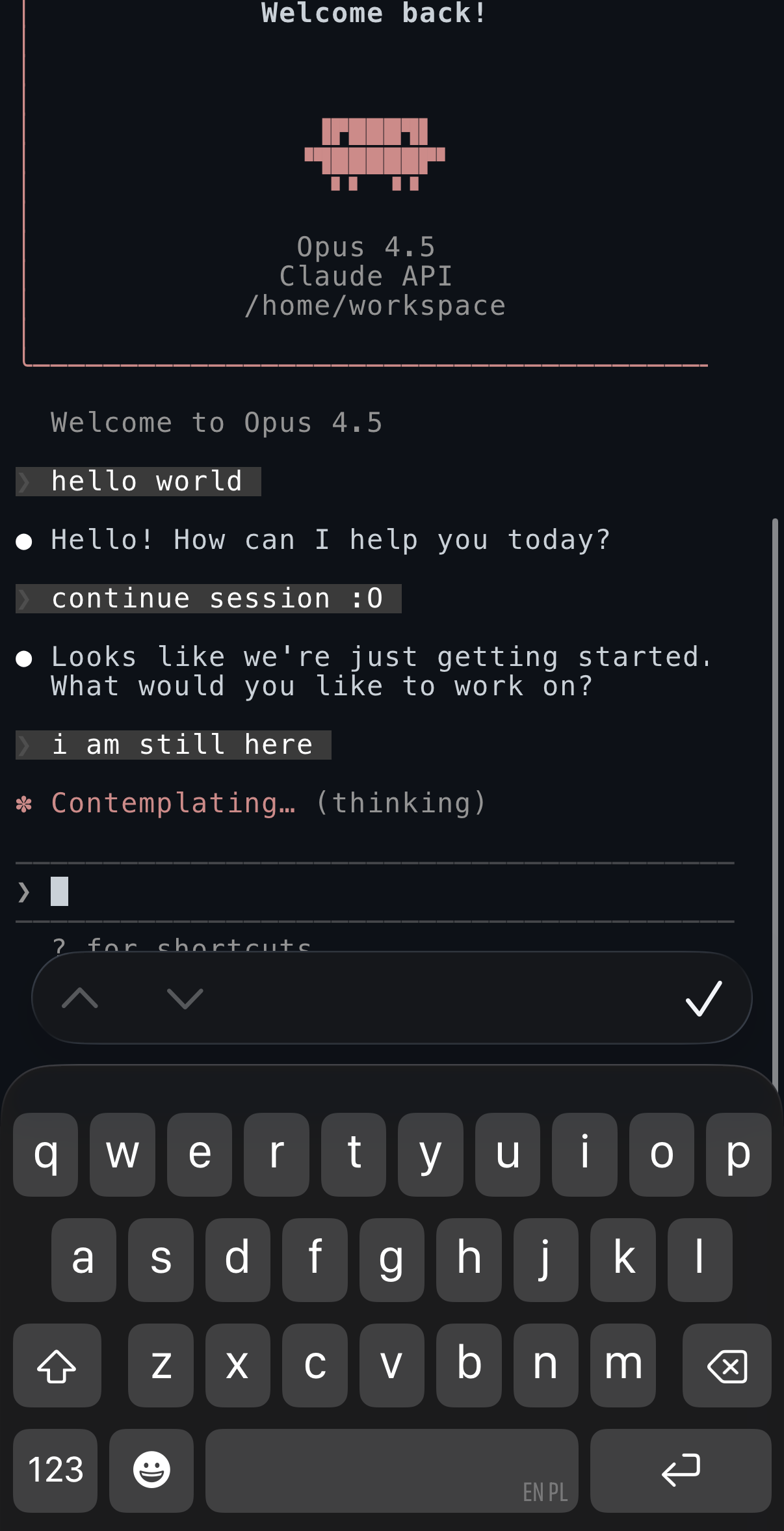
Claude Code is available directly in the workspace terminal (via Perry Web UI or SSH clients like Termius):
1) Configure credentials
Claude Code:
- Sign in on the host and keep
~/.claude/.credentials.jsonavailable.
Codex:
- Perry copies
~/.codex/from the host if it exists.
2) Start a workspace
perry start myproject
3) Run inside the workspace
perry shell myproject
claude
Ways to connect
perry shellfrom any machine pointed at the agent- Web UI terminal from the workspace page
- SSH directly (Tailscale) or with a client like Termius
On-the-go access
If you are away from your main machine, the fastest options are:
- Web UI terminal on your phone or tablet
- SSH from a mobile client (Termius, Prompt, etc.)
Sessions
The Sessions tab in the Web UI shows session history and shortcuts. Opening a session drops you into a terminal in that workspace.